




April 27. 2026
What Is the Best AI Voice Recorder for Lectures?
IWhether you're attending university classes, online courses, seminars, or professional training sessions, having a reliable way to capture every detail is essential. Many students are now looking for the best AI voice recorder, a lecture recorder and note taker, or simply a good voice recorder that can do more than record audio.
Unlike a sound recorder or a voice recorder that only captures sound, modern AI-powered devices can automatically transcribe conversations, generate summaries, organize notes, and synchronize recordings across multiple devices. This allows students to focus on learning instead of trying to write every word.
If you're searching for the best voice recorder for lectures, this guide will help you understand the key features to look for and explain why the Anypin Note Pod P1 is an excellent solution.
Why Traditional Recorders Are No Longer Enough?
Many people still use a sound recorder, smartphone apps, or a small recorder to capture lectures. While these devices record audio, they often require hours of manual review afterward.
Traditional digital recorders can:
Record classroom audio
Store files locally
Export recordings to a computer
However, they cannot:
Generate transcripts
Identify key discussion points
Create AI summaries
Organize notes automatically
Search conversations by keyword
If you attend lectures regularly, an AI note taker for lectures can save significant time during exam preparation.
What Is an AI Voice Recorder?
An AI voice recorder combines professional audio recording with artificial intelligence.
Instead of simply saving audio files, it can:
Convert speech into searchable text
Generate meeting or lecture summaries
Highlight key points
Identify speakers
Sync recordings to the cloud
Support multilingual transcription
Compared with traditional digital recorders, AI recorders provide much greater productivity for students, researchers, educators, and professionals.
What Makes the Best Lecture Recorder and Note Taker?
When choosing the best lecture recorder and note taker, consider the following features.
High-Quality Audio Recording
A voice recorder to record lectures should capture clear audio even in large classrooms.
Look for:
Noise reduction
Long recording distance
High-quality microphones
Stable recording performance
AI Transcription
One of the biggest advantages of an AI note taker for lectures is automatic transcription.
Instead of replaying a one-hour lecture multiple times, you can search keywords directly inside the transcript.
Why Anypin Note Pod P1 Is a Smart Choice?
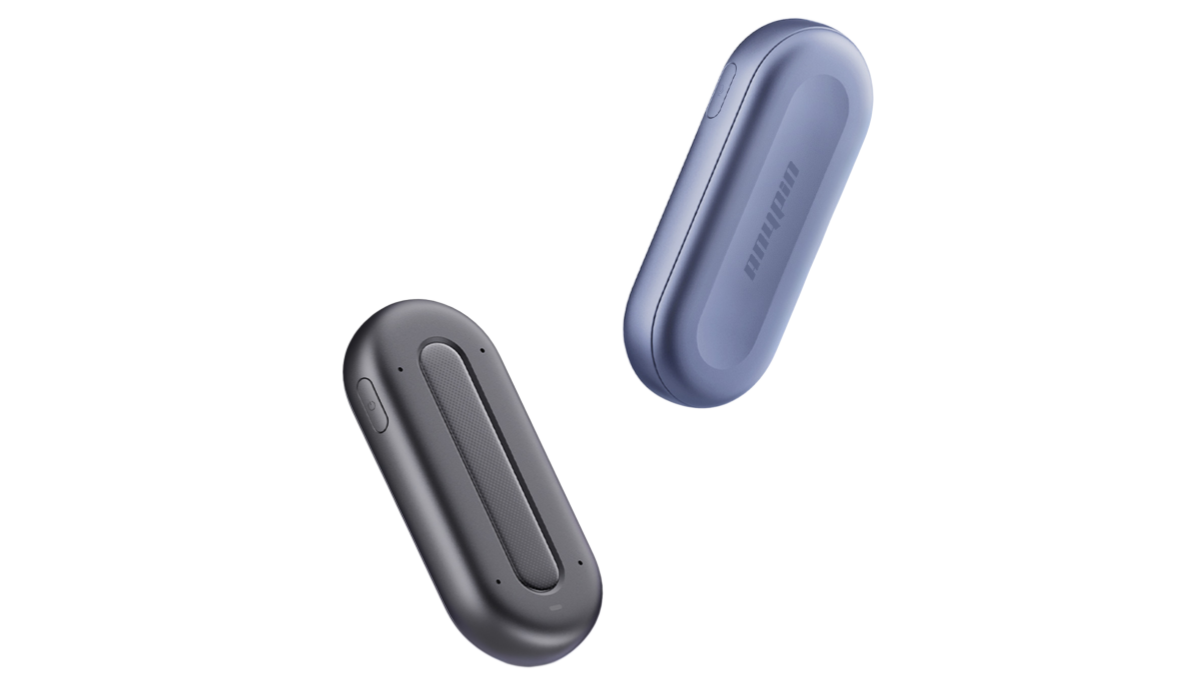
The Anypin Note Pod P1 is more than a voice recorder. It combines premium recording hardware with AI-powered productivity features.
Key features include:
Crystal-clear recording for lectures and meetings
AI transcription in multiple languages
AI-generated summaries and action items
Secure cloud synchronization
Fast Wi-Fi upload
Long battery life
Compact, lightweight design that's easy to carry between classes
Unlike traditional digital voice recorders for lectures, the Anypin Note Pod P1 helps students organize information automatically, making exam revision much more efficient.
If you're searching for the best AI voice recorder or the best voice recorder device for lectures, Anypin offers an excellent balance of portability, recording quality, and intelligent note-taking.
Why More Students Are Choosing the ANYPIN Note Pod P1?
When searching for the best AI voice recorder, many students quickly realize that recording quality is only part of the equation. Modern learning requires a device that can capture information, organize it, and make it easy to review later.
This is where the ANYPIN Note Pod P1 stands out.
As an advanced lecture recorder and note taker, it goes beyond simple audio recording by combining:
AI transcription
AI-generated lecture summaries
AI note organization
Multi-language support (120+ languages)
Fast Wi-Fi synchronization
Cross-device access
Secure cloud storage
Instead of spending hours replaying recordings, students can instantly search transcripts, review summaries, and locate key concepts from any lecture.
For university students, researchers, educators, and lifelong learners, the ANYPIN Note Pod P1 transforms a traditional lecture recording device into a complete learning assistant.
Where Can You Buy a Voice Recorder?
If you're wondering where can I buy a voice recorder or where to buy digital voice recorder, you have several options:
Official brand websites
Amazon
Electronics retailers
Campus bookstores (selected models)
Buying directly from the manufacturer often provides warranty support, firmware updates, and customer service.
If you're looking for where to get highest quality recording equipment, choose brands that specialize in AI-powered recording rather than basic digital recorders.
Although AI devices cost more upfront, the time saved through automatic transcription and note generation can make them a worthwhile investment for students and professionals.
Conclusions
The days of using a sound recorder that only captures audio are quickly fading. Students now expect more from their recording devices, including transcription, summaries, cloud storage, and intelligent organization.
If you're looking for the best AI voice recorder, the best lecture recorder and note taker, or the best voice recorder for lectures, the Anypin Note Pod P1 offers a modern solution that helps you spend less time taking notes and more time learning.
FAQs about AI Recording Devices for Professional Use
1. What is the best AI voice recorder for lectures?
The best AI voice recorder combines clear audio recording with AI transcription, summaries, cloud synchronization, and long battery life. Devices like the Anypin Note Pod P1 are designed for both students and professionals.
2. What is a sound recorder?
A sound recorder is a device or application that captures audio. Modern AI recorders extend this functionality with transcription and intelligent note organization.
3. Why use an AI note taker for lectures?
An AI note taker for lectures automatically converts spoken content into searchable text, generates summaries, and highlights key points. This reduces study time and helps students review information more efficiently.



