




26-05-2026
From Lecture Capture to Better Study: How an AI Recorder Changes the Way Students Work

Recording a lecture is easy. Turning that recording into something genuinely useful for studying is much harder.
A two-hour audio file may preserve everything a professor said, but finding one definition, example, or explanation later can take almost as long as attending the lecture again. This is where an AI-powered recording workflow can make a meaningful difference.
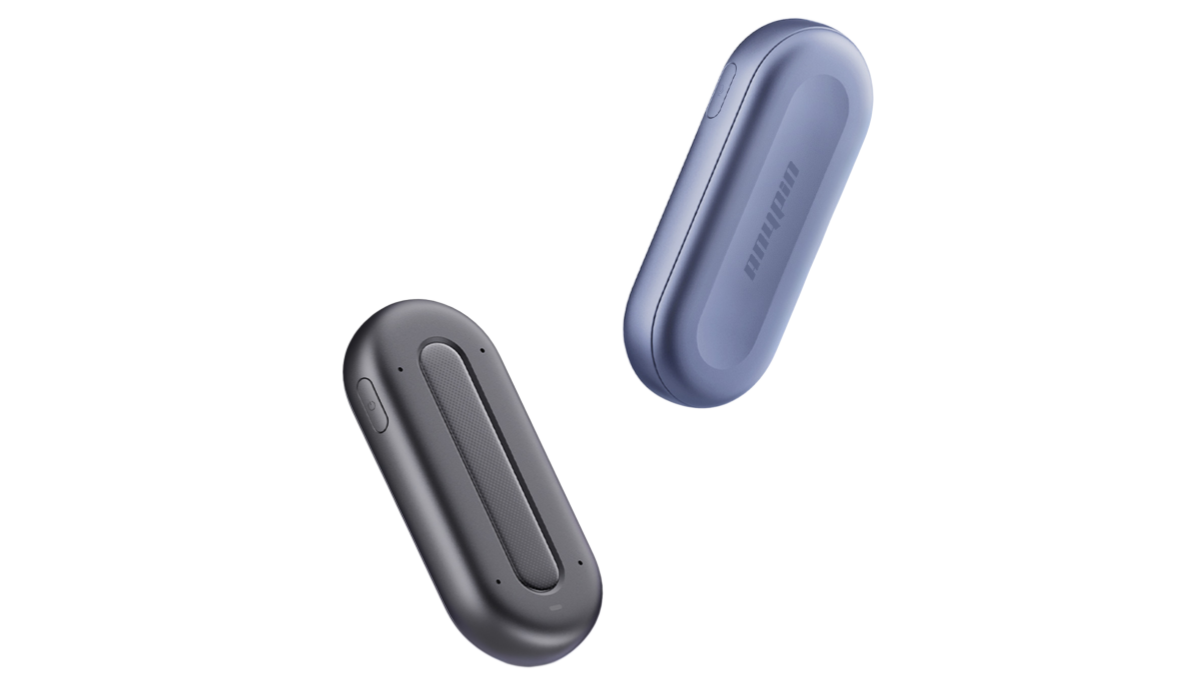
Instead of treating a recorder as a device that simply stores sound, students can use it as the first step in a process that captures, organizes, searches, and reviews information. The ANYPIN Note Pod P1, for example, combines recording with transcription, topic-based organization, summaries, speaker identification, and AI-powered questions.
The goal is not to eliminate active learning. Rather, a good system should reduce the mechanical work around note-taking so students have more time to understand and review what they hear.
Why Lecture Recording Should Be More Than Audio Storage?
A conventional recorder produces an audio file. That can be useful, but the file itself does not tell you where the important information is.
Imagine a 90-minute university lecture containing:
1. 20 minutes of introductory material
2. Several technical explanations
3. A student Q&A
4. Three examples
5. An assignment announcement
6. A final exam reminder
With a traditional recorder, all of this remains one continuous recording.
An AI recorder can create a more structured information layer by converting speech into text and organizing content into topics.
ANYPIN, for instance, says its Note Pod P1 can automatically transcribe recordings, segment audio by topic, generate summaries, and allow users to ask questions about recorded content.
That changes the purpose of recording: instead of merely preserving the lecture, the recording becomes a resource that can be reviewed.
A Better Workflow for University Lectures
Step 1: Capture Without Constant Typing
Students often face a conflict during lectures: listen carefully or write down everything.
Cornell University's Learning Strategies Center notes that taking notes can help students remain active during class, while also recommending different note-taking strategies depending on the situation.
An AI recorder does not have to replace this process. Instead, it can serve as a backup layer.
A student might write down personal reactions, questions, formulas, or connections while the recorder captures the spoken explanation. This creates a useful distinction between personal notes and source material.
Step 2: Turn Speech Into Searchable Information
The second stage is transcription.
A good voice recorder for lectures should make it easier to find information after class. AI transcription allows students to search for terms rather than manually scanning an audio timeline.
For example, after a biology lecture, a student could search the transcript for "mitochondria," "cellular respiration," or a professor's explanation of a particular experiment.
ANYPIN supports AI transcription in more than 120 languages, along with speaker labels and noise reduction, according to its product specifications.
This can be particularly helpful in courses involving specialized terminology or long classroom discussions.
What Makes the Best Recorder for Lectures Different?
Key Feature | Why It Matters for Students | What to Look For |
|---|---|---|
Microphone system | Helps capture professors and discussions | Multi-microphone design |
Transcription | Makes spoken content searchable | Accurate speech-to-text |
Speaker identification | Separates professor and students | Speaker labels |
AI summaries | Speeds up post-class review | Custom or structured summaries |
Topic organization | Breaks long lectures into sections | Automatic segmentation |
Key-point marking | Saves important moments | One-touch pins or markers |
Why a Pod Note Workflow Can Be More Useful?
The idea behind a pod note workflow is simple: capture information first, then transform it into notes that are easier to use.
This is particularly valuable when a lecture contains multiple layers of information. A student may want a short summary for quick revision, a full transcript for checking details, and personal notes for concepts that require additional research.
Instead of creating these manually, an AI system can provide several starting points.
ANYPIN supports summary templates and allows users to add their own notes alongside recordings. It can also organize information by date, topic, and timeline.
The important point is that AI-generated notes should be treated as a review aid rather than a replacement for thinking.
AI Pin Recorder: When Hands-Free Design Matters
A wearable AI pin recorder can be particularly practical in university environments.
Students move between classrooms, laboratories, libraries, seminars, and group discussions. A device that can be clipped onto clothing or worn around the neck avoids the need to place a smartphone on a desk before every class.
The ANYPIN Note Pod P1 supports several hands-free wearing methods, while one-tap recording allows users to start capturing audio without opening a phone application.
This approach also reduces dependence on a phone's battery and storage during extended sessions.
AI Voice Recorder for Meetings: The Same Idea Works Beyond Campus
The same workflow can be valuable after graduation.
An AI voice recorder for meetings can capture discussions and convert them into transcripts, summaries, and action-oriented information. For example, a graduate entering consulting, sales, research, or project management may need to remember decisions rather than every sentence spoken during a meeting.
ANYPIN positions the Note Pod P1 for interviews, meetings, workshops, and professional conversations, with speaker recognition, summaries, topic organization, and searchable recordings.
For someone comparing the best meeting recorder, the important question is therefore not simply, "How long can it record?" It is "How quickly can I turn this conversation into something I can act on?"
Use AI Recording Without Losing Active Learning
An AI recorder should support learning rather than encourage passive listening.
Cornell's guidance on learning from lectures recommends staying engaged, taking notes, asking questions, and minimizing distractions.
A useful workflow might therefore look like this:
During class: listen, participate, write personal notes, and record the lecture.
Immediately afterward: review the AI summary and identify unclear points.
Before an exam: search the transcript, review key topics, and create questions from the material.
Cornell's Cornell Note-taking System also emphasizes reviewing notes, generating questions, and reflecting on the material rather than simply collecting information.
This is where AI recording becomes most useful: it can reduce information-management work while leaving interpretation and learning to the student.
Privacy Should Not Be an Afterthought
Before using any best AI recording device in a classroom or meeting, users should understand the rules governing recording.
The UK's Information Commissioner's Office advises organizations to consider whether recording is necessary and proportionate, explain how recordings are being used, and provide appropriate transparency to participants.
Students should therefore check university policies and applicable local laws and, where required, inform participants or obtain permission before recording.
ANYPIN states that recordings can be made offline and that uploaded data is protected through encrypted transmission and storage.
Is ANYPIN Suitable for University Students?
For students searching for the best voice recorder for university lectures, the most useful device is one that fits naturally into the learning process.
ANYPIN's Note Pod P1 is designed around this broader workflow. It can capture lectures, convert speech into searchable text, create structured summaries, identify speakers, and allow users to mark important moments.
Some users may also search for anypin when looking for the brand. The official product name is ANYPIN, while its main hardware product is the Note Pod P1.
Ultimately, the best recorder to record lectures is not simply the device that creates the clearest audio. It is the one that helps transform a long recording into information that can be searched, understood, reviewed, and used.
FAQ
1. What is the best recorder for university lectures?
Look for clear audio capture, long battery life, portability, transcription, searchable notes, and useful summaries. A device such as ANYPIN Note Pod P1 combines these functions in one wearable system.
2. What makes a good voice recorder for lectures?
A good recorder should capture speech clearly and make reviewing the recording convenient. AI transcription, topic segmentation, speaker labels, and summaries can provide additional value beyond basic audio recording.
3. Is an AI pin recorder better than a smartphone?
For dedicated recording, a wearable recorder can be more convenient because it can operate independently and remain attached to clothing. A smartphone can still be useful when occasional recording is all that is required.
4. What is the best meeting recorder?
The best meeting recorder depends on the environment and workflow. For professional meetings, useful features include multi-speaker capture, transcription, speaker identification, summaries, action items, and searchable records.
5. Can an AI recorder replace handwritten notes?
Not completely. AI-generated transcripts are useful for preserving information, while handwritten or personal notes can encourage active thinking and highlight what matters specifically to the learner.
6. Can ANYPIN record without an internet connection?
Yes. ANYPIN states that the device can record while offline. Internet connectivity is required for uploading recordings to the cloud and accessing transcription or playback through the app.



