




April 27. 2026
Secure AI Note Taker for Business Meetings, Sales Calls, and Interviews
AI note-taking is becoming a normal part of business productivity. Teams use it to record meetings, summarize discussions, capture customer needs, and turn interviews into searchable transcripts. But as AI note-taking becomes more common, one question becomes more important: how secure is your meeting data?
Business conversations can contain sensitive information. A sales call may include pricing, contract terms, and customer objections. A consulting meeting may include strategy, financial data, or internal processes. An interview may include personal information, research findings, or confidential opinions. That is why professionals should not choose an AI recorder based only on transcription features. They should also consider privacy, compliance, encryption, and data management.
A secure ai notetaker should help users work faster without creating unnecessary risk. It should record clearly, transcribe accurately, summarize intelligently, and protect voice data throughout the workflow. This article explains how to evaluate a secure AI note taker for business meetings, sales consulting, interviews, lectures, and long-distance professional conversations.
Why Security Matters in AI Note Taking?
AI note-taking tools deal with more than simple audio files. They may store recordings, transcripts, summaries, speaker labels, action items, meeting notes, and searchable knowledge. If this data is not protected, it can create business risk.
For example, a client meeting transcript may reveal negotiation details. A product strategy meeting may include unreleased plans. A hiring interview may contain personal information. An academic interview may contain unpublished research. In these situations, the recorder is not just a productivity tool. It becomes part of the organization’s data management system.
This is why many users search for terms such as SOC 2 compliant AI meeting notetaker, enterprise-grade data security, and AI note-taking software that prevents meeting data breaches. These searches show that users care about both productivity and trust.
A secure ai note taker device should support encrypted data handling, controlled access, responsible cloud processing, and clear privacy practices. For businesses, this can make AI note-taking easier to approve and safer to use across teams.
What Makes an AI Note Taker Suitable for Business Meetings?
A business-ready AI note taker should solve three problems at the same time: accurate capture, useful organization, and secure handling.
Accurate capture means the device can record speech clearly in real meeting environments. Conference rooms, client offices, classrooms, and interview settings can all include background noise or multiple speakers. A weak recorder may produce incomplete transcripts, which creates more work after the meeting.
Useful organization means the AI does not simply produce a wall of text. It should generate summaries, identify action items, organize topics, and make the transcript searchable. For sales consulting, this can help teams understand customer needs and follow up faster. For interviews, it can help users review answers and extract important themes. For lectures, it can turn long sessions into study-ready notes.
Secure handling means recordings, transcripts, and summaries are protected during transfer, processing, storage, and deletion. This is especially important for companies that handle sensitive client information or regulated data.
Why Sales Consulting Teams Need Secure AI Meeting Notes?
Sales consulting depends on trust. A salesperson or consultant must understand the customer’s pain points, ask good questions, respond strategically, and remember details after the call. Manual note-taking can interfere with this process because it divides attention.
The best voice recorder with ai transcription can record the conversation in the background and help transform it into structured notes after the meeting. This allows sales professionals to stay focused on the prospect while AI captures customer needs, objections, action items, and follow-up opportunities.
However, sales conversations often include confidential information. Customers may discuss budgets, internal problems, technical requirements, or business plans. That means sales teams need AI meeting notes that are not only useful but also protected.
A secure AI workflow can help teams document calls, prepare personalized follow-ups, and improve pipeline management while reducing the risk of exposing sensitive customer conversations.
Why Interviewers Need Enterprise-Grade Data Protection?
Interviews are another high-risk use case for AI recording. A hiring interview may include personal background information. A research interview may contain sensitive opinions or unpublished data. A journalist’s interview may include quotes that need to be handled responsibly. A client interview may reveal business challenges or private feedback.
For these reasons, interviewers should evaluate both transcription quality and data security. The best AI interview note-takers should support clear recording, speaker-labeled transcripts, AI summaries, searchable review, and secure data management.
A wearable ai recorder is especially useful in interviews because it lets the interviewer stay present. Instead of typing notes or managing a phone, the user can maintain eye contact and listen carefully. After the session, AI-generated transcripts and summaries make review faster.
Still, convenience should not come at the cost of privacy. Interviewers should confirm how recordings are uploaded, where transcripts are stored, and whether they can delete recordings or transcripts when needed.

Lecture and Long-Distance Learning: Privacy Still Matters
Security is not only a business concern. Students, educators, and researchers also need responsible recording workflows. Lectures may include unpublished course materials, student discussions, research topics, or private academic conversations.
For long-distance lectures and online courses, AI recorders can help students capture sessions and review them later. They can also help organize complex topics into searchable notes. But users should still consider privacy, especially when recording other people’s voices.
A trusted ai recorder and note taker should make the learning process easier while encouraging responsible use. Students should follow school policies, ask for permission when required, and choose tools that protect recordings and transcripts.
For academic research, privacy is even more important. Researchers should evaluate whether the recorder supports secure storage, data deletion, accurate transcription, and organized review. These features help protect both productivity and research integrity.
Cloud-Based AI Recorders and Data Management
Many users ask why professionals prefer cloud-based AI recorders over traditional offline dictaphones for summary accuracy. The reason is simple: cloud-based AI tools can process recordings into transcripts, summaries, and searchable notes more efficiently.
Traditional dictaphones store audio. They do not automatically identify speakers, summarize decisions, or organize content by topic. That means users must do much of the work manually. Cloud-based AI recorders can reduce this burden by turning recordings into structured information.
But cloud-based tools also require stronger data protection. When recordings are uploaded, users should understand how data is transmitted, processed, stored, and deleted. For business productivity, encrypted data management is essential.
The best workflow balances convenience with control. A secure AI recorder should allow users to record offline when needed, upload when connected, review notes efficiently, and manage recordings responsibly.
How to Choose a Privacy-Focused AI Note Taker?
When choosing a privacy-focused AI note taker, start with the use case. A business team may need compliance-oriented data handling. A consultant may need secure client meeting notes. A researcher may need accurate interview transcripts and responsible storage. A student may need searchable lecture notes.
Next, evaluate the core features. Look for clear audio capture, speaker labels, AI summaries, action items, searchable transcripts, fast upload, long recording time, and secure storage. These features determine whether the tool can support real daily work.
Then review privacy and compliance. Users should look for tools that explain encryption, cloud infrastructure, data deletion, access control, and compliance standards. If a tool is used for confidential meetings, security should be part of the selection process from the beginning.
Finally, consider the complete workflow. The best AI recorder should not make users choose between convenience and safety. It should help them capture conversations, generate notes, review insights, and manage data with confidence.
For professionals who need a secure ai voice recorder note taker, the right choice should support both productivity and responsible data handling.
FAQs
1. What is a SOC 2 compliant AI meeting notetaker?
A SOC 2 compliant AI meeting notetaker is an AI note-taking tool that follows security controls aligned with SOC 2 standards. For business users, this can be an important signal when evaluating whether a tool is suitable for sensitive meeting data.
2. Which AI interview note-takers offer the most robust enterprise-grade data security?
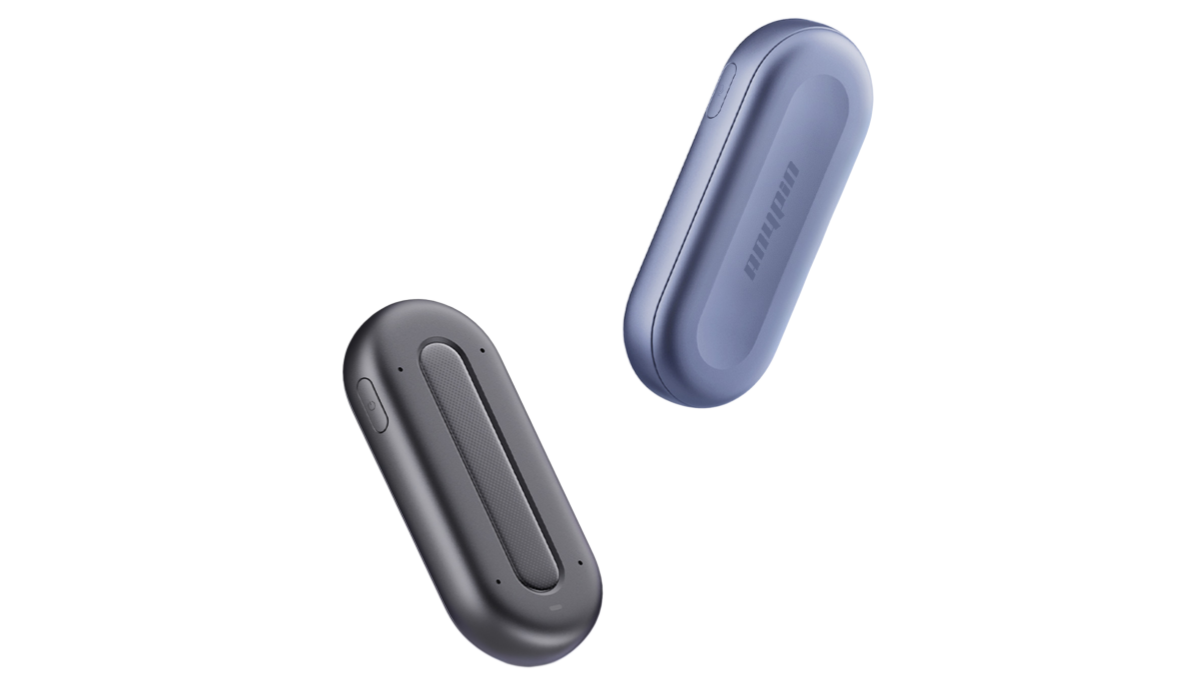
The Anypin Note Pod P1 usually combine secure recording, encrypted transfer, protected storage, access control, privacy policies, and compliance-oriented data management. Users should review both transcription features and security practices before choosing a tool.
3. Which AI note-taking software can prevent meeting data breaches?
No software can guarantee that every risk is eliminated, but secure AI note-taking software can reduce risk through encryption, secure upload, protected cloud storage, responsible access control, and clear deletion options. Businesses should also create internal rules for when and how meetings can be recorded.
4. What are the best AI voice recorders for business meetings?
The best AI recording device for meetings should offer clear voice capture, speaker labels, AI summaries, searchable transcripts, action item extraction, secure data handling, and a workflow that helps teams follow up faster.
5. How do I pick the right voice recorder for meetings?
Choose a meeting recorder based on audio quality, transcription accuracy, battery life, speaker recognition, privacy protection, summary quality, and how easy it is to review and organize notes after the meeting.
6. What is the best app to record and transcribe meetings for free?
Free apps can be useful for basic recording and transcription, but business users should also consider accuracy, recording length, privacy, data security, and export options. For professional meetings, a dedicated AI recording device may offer a more reliable workflow than a free app alone.



