




26-05-2026
How to Choose the Best AI Voice Recorder for Lectures, and Interviews?

Whether you are attending a long lecture, leading a client meeting, conducting an interview, or joining a professional conference, one problem is always the same: important information is easy to miss. People speak quickly, discussions move between topics, and handwritten notes often fail to capture the full context.
This is why more students, researchers, consultants, sales professionals, and interviewers are moving from traditional voice recorders to AI-powered recording tools. A modern ai note taker does more than save audio. It can record conversations, transcribe speech, identify speakers, summarize key points, and turn long discussions into searchable knowledge.
For users comparing AI voice recorders, the best choice is not simply the device with the longest recording time or the lowest price. The right tool should match the way you work, study, interview, and review information afterward. This guide explains how to choose an AI voice recorder for real-world scenarios such as lectures, sales consulting, interviews, long meetings, and noisy multi-speaker environments.
What Is an AI Voice Recorder and How Is It Different from a Regular Voice Recorder?
A regular voice recorder captures audio and stores it as a file. It is useful if you only need to replay a conversation later. However, it does not help much when you need to find one important sentence in a two-hour meeting, review a lecture before an exam, or extract client requirements from a sales call.
An AI voice recorder is different. It combines recording hardware with AI transcription, summaries, speaker labels, and searchable notes. Instead of forcing users to listen to the entire audio again, an AI recorder helps convert spoken information into organized text and structured insights.
This difference is especially valuable in professional and academic situations. A student can review lecture summaries instead of replaying full recordings. A sales consultant can identify customer objections and follow-up tasks. An interviewer can focus on listening instead of typing notes. A manager can review decisions and action items after a meeting.
In short, an AI recorder is not only a recording tool. It is a productivity tool for people who need to turn conversations into usable information.
Why Lecture, Sales Consulting, and Interview Scenarios Need AI Recording?
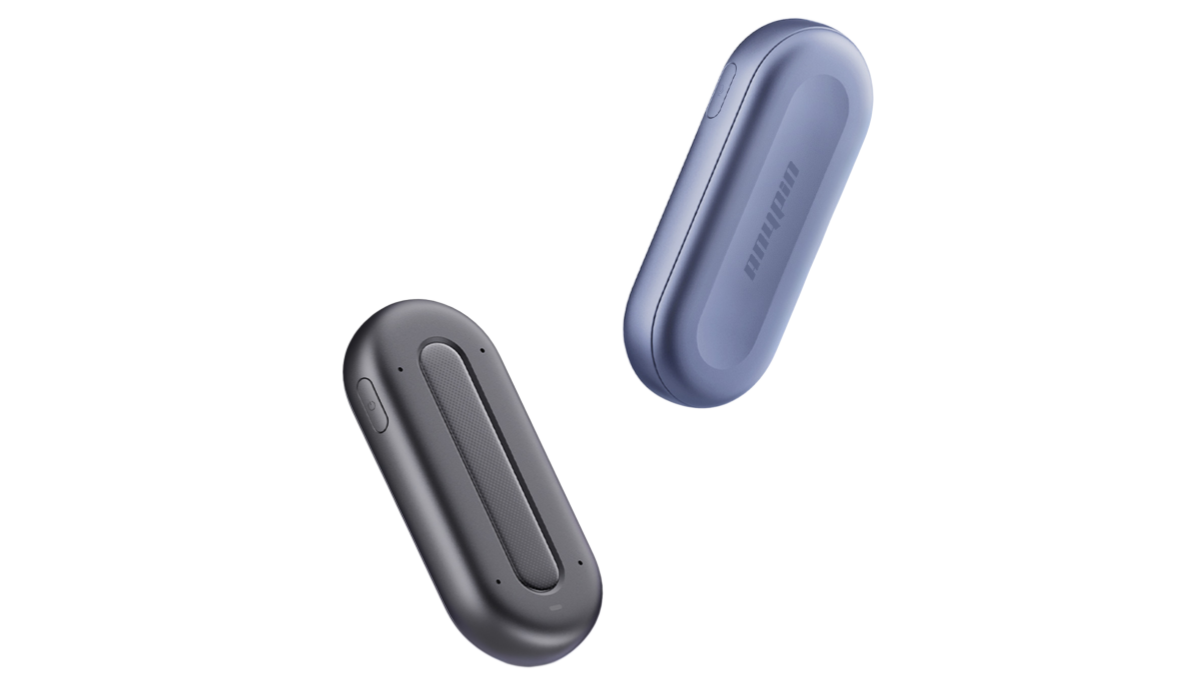
Different use cases of Anypin Note Pod P1 require different note-taking workflows. That is why the best AI recorder should not be evaluated only by general features. It should be judged by how well it supports the user’s actual scenario.
For lectures, the main challenge is information density. A lecture may contain definitions, examples, formulas, arguments, and references. Students need to stay focused while also preserving enough material for later review. A reliable ai voice recorder device helps students record long lectures, generate transcripts, organize topics, and search key concepts after class.
For sales consulting, the biggest challenge is staying present. Salespeople and consultants need to listen carefully, ask better questions, identify pain points, and build trust. If they spend the whole meeting typing notes, they may miss the emotional context behind the customer’s words. AI note-taking helps capture customer needs, objections, buying signals, and next steps while the professional stays engaged in the conversation.
For interviews, accuracy and context are essential. Whether it is a research interview, media interview, hiring conversation, or customer interview, the interviewer needs to know not only what was said but also who said it and why it matters. AI transcription, speaker labeling, and summaries can make interview review much faster and more reliable.
Key Features to Look for in the Best AI Voice Recorder
Key Feature | What to Look For | Why It Matters |
|---|---|---|
Audio Capture Quality | Clear voice recording in environments with background noise, distant speakers, overlapping conversations, or movement | High-quality audio capture improves transcription accuracy during real meetings, interviews, and lectures. A strong AI recorder should perform reliably beyond quiet studio conditions. |
Speaker Labeling | Automatic identification and separation of different speakers | Speaker-labeled transcripts make it easier to understand who said what, follow the conversation, assign responsibilities, and review multi-person discussions. |
Practical AI Summaries | Extraction of key ideas, decisions, action items, questions, and topic sections | A useful summary should turn a long recording into an organized and actionable note rather than providing a generic overview. |
Battery Life and Storage | Long recording time, sufficient built-in storage, and reliable file management | The best AI audio recorders for long meetings and lectures should support extended sessions without frequent charging or constant file cleanup. |
Search and Review Experience | Searchable transcripts, topic organization, keyword search, and AI chat-style review | These features help users quickly locate important information without replaying the entire recording. |
Complete Workflow Support | Capture, transfer, transcribe, summarize, search, and review | The best AI voice recorder should support the entire process from recording a conversation to finding and using the information later. |
Why Wearable AI Recorders Are Useful for Professionals?
A phone recording app may work for simple voice notes, but it is not always ideal for professional use. Phones receive calls, messages, and notifications. They may be placed too far from the speaker. They can also feel distracting in interviews or client conversations.
A wearable ai note taker offers a more natural workflow. It can be worn as part of the user’s daily routine and used hands-free during meetings, lectures, interviews, and conferences. This makes recording less intrusive and more reliable.
For students, a wearable recorder allows them to focus on learning instead of managing a device. For consultants, it supports natural client conversations. For interviewers, it reduces the need to look down at a phone or laptop. For conference attendees, it helps capture sessions, panels, and networking discussions without carrying bulky equipment.
Wearability is not only a design feature. It affects whether people actually use the recorder consistently. The easier it is to capture conversations, the more complete and useful the final notes become.
Cloud-Based AI Recorders vs Traditional Offline Dictaphones
Many professionals still compare AI recorders with offline dictaphones. Traditional dictaphones are simple and familiar, but they usually create extra work. After recording, users still need to transfer files, replay audio, write notes, and organize information manually.
Cloud-based AI recorders are designed for a different purpose. They help process recordings into transcripts, summaries, and searchable notes. This is why many professionals prefer cloud-based AI recorders over traditional offline dictaphones when summary accuracy and productivity are important.
However, users should also consider privacy and data security. A cloud-based recorder should use secure upload, encrypted storage, and clear data management practices. For business meetings, academic research, and interviews, sensitive information must be handled carefully.
The right choice depends on your priorities. If you only need raw audio, an offline recorder may be enough. If you need transcription, summaries, search, and structured review, an AI-powered recorder is usually more useful.
Click to learn more about Voice Recorder vs Dictaphone for Modern Productivity
How to Pick the Right AI Recorder for Your Use Case?
For lectures, choose a recorder that can handle long sessions, generate searchable notes, and organize content by topic. Students and researchers should prioritize clarity, transcription quality, battery life, and review efficiency.
For sales consulting, choose a recorder that supports speaker-labeled transcripts, action items, and meeting summaries. The goal is not just to record the call but to help sales teams prepare better follow-ups and move deals forward.
For interviews, choose a recorder that supports clear voice capture, accurate transcription, and multi-speaker review. Interviewers should also consider portability, privacy, and ease of export.
For conferences, choose a lightweight recorder that can capture long sessions and upload recordings efficiently. Conference environments are often noisy, so clear pickup and AI noise reduction are important.
For business meetings, choose an ai voice recorder and transcriber that balances productivity with security. Meeting notes may include confidential information, so data protection should be part of the decision.
FAQ
What are the best AI voice recorders for long meetings and lectures?
The best recording devices for lectures and long meetings should offer long battery life, clear audio capture, accurate transcription, AI summaries, searchable notes, and enough storage for extended sessions. A dedicated AI recorder is usually more reliable than using a phone app for long recordings.
How do I choose the right AI audio recorder for academic research?
For academic research, choose a recorder that supports long interviews, lecture recording, searchable transcripts, speaker labels, and secure data handling. Researchers should also consider whether the tool can help organize findings after the recording is complete.
Where do professionals get high-quality AI voice recorders for conferences?
Professionals usually look for dedicated AI voice recorder devices that are portable, wearable, and able to handle noisy multi-speaker environments. For conferences, fast upload, long recording time, and searchable summaries are especially useful.
Which AI voice recorders are best for multi-speaker conversations in noisy environments?
The best AI recorders for multi-speaker conversations should combine strong microphone pickup, AI noise reduction, speaker labeling, and accurate transcription. These features help users review who said what after meetings, interviews, panels, and group discussions.
What is the best AI voice recorder specifically for meetings?
The best AI recording device for meetings should capture clear audio, generate transcripts, identify speakers, summarize key decisions, extract action items, and protect meeting data. For business users, security and workflow efficiency are just as important as recording quality.
Is an AI voice recorder better than a phone recording app?
An AI voice recorder is usually better for long meetings, lectures, interviews, and professional use because it is designed for dedicated capture and structured review. A phone app may be convenient, but it can be affected by notifications, battery limitations, and inconsistent audio placement.
Where can I buy an AI voice-to-text recorder for long meetings?
You can look for a dedicated AI voice-to-text recorder designed for long meetings, lectures, interviews, and conferences. When comparing options, check battery life, transcription quality, speaker labels, storage, upload speed, summaries, and privacy protection.



